🚗 Vehicle Tracking & Monitoring Application
A summary of the key features and reports available.
Analyse de Trajet et Données de Conduite
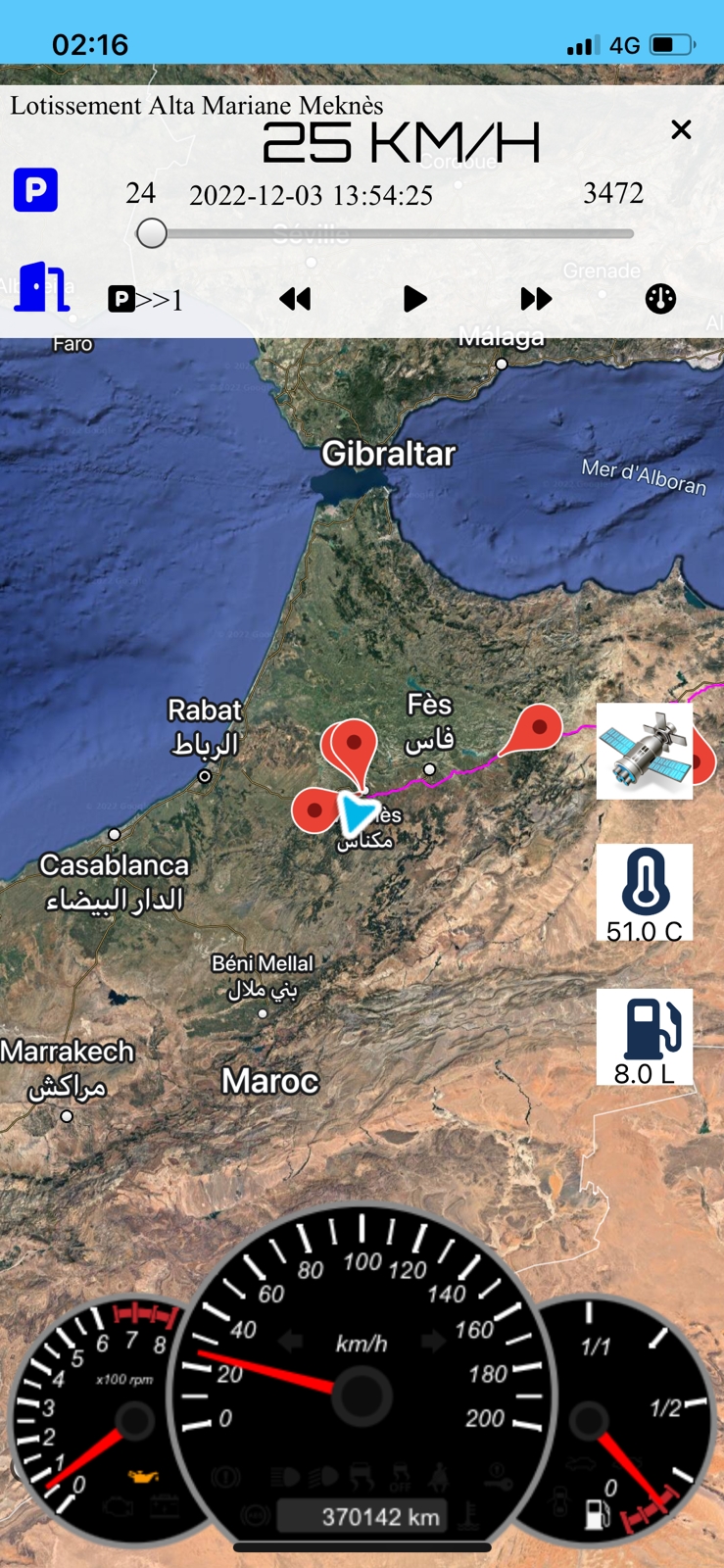
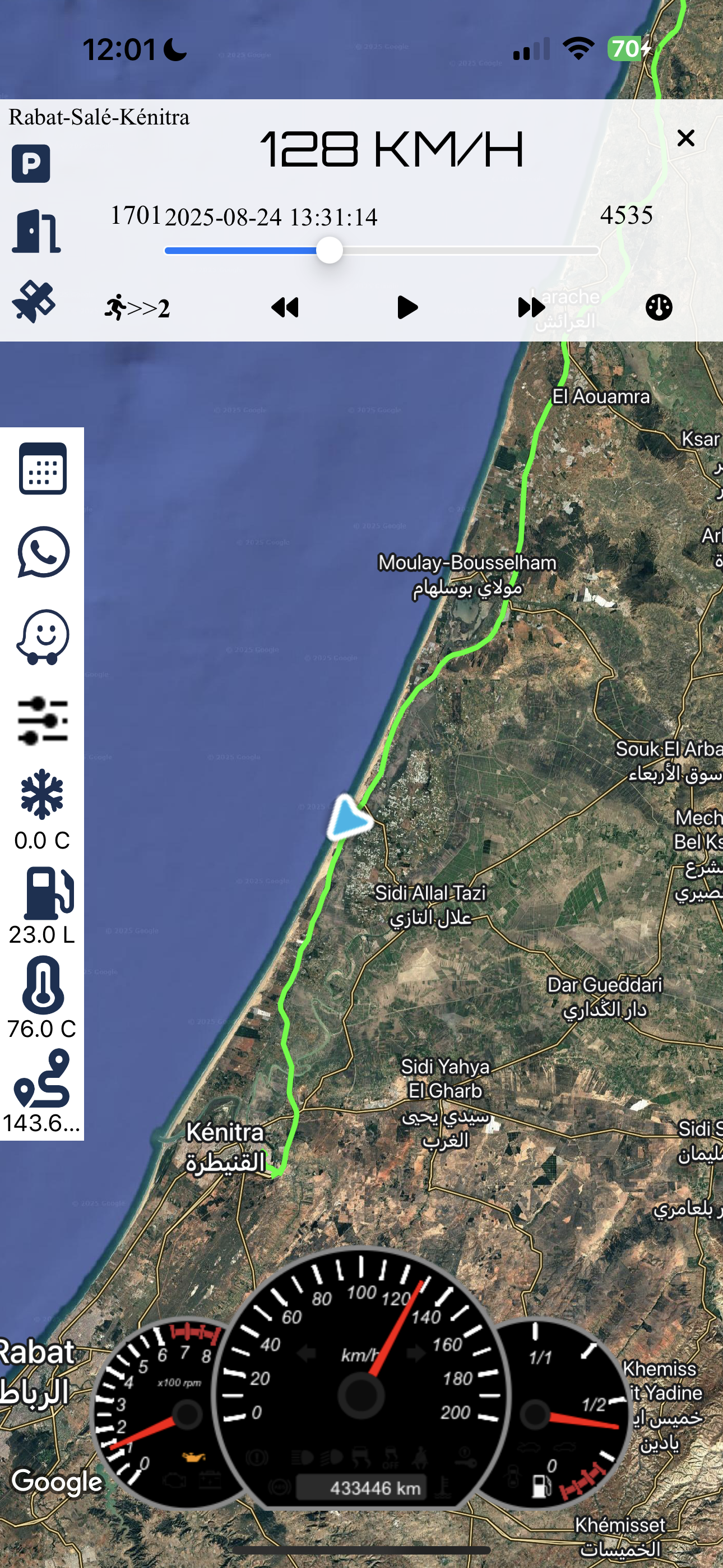
Cette image présente une capture d'écran d'une application de suivi de conduite, probablement prise lors d'un trajet entre la région de **Rabat-Salé-Kénitra** au Maroc.
Données Clés Observées :
- Vitesse Actuelle : **128 KM/H**
- Date et Heure : **17:01, 2025-08-24 13:31:14** (heure de la capture des données)
- Température Extérieure : **0.0 °C**
- Température du Moteur (ou autre) : **76.0 °C**
- Carburant Restant (Estimation) : **23.0 L**
- Kilométrage (Odomètre) : **433446 km**
- Localisation : Le véhicule se déplace le long de la côte, entre **Kénitra** et **Moulay-Bousselham**.
L'interface inclut également un tableau de bord numérique (compteur de vitesse et compte-tours) et des indicateurs de statut (icônes météo, carburant, etc.).
🛠️ Main Menu (Menu)
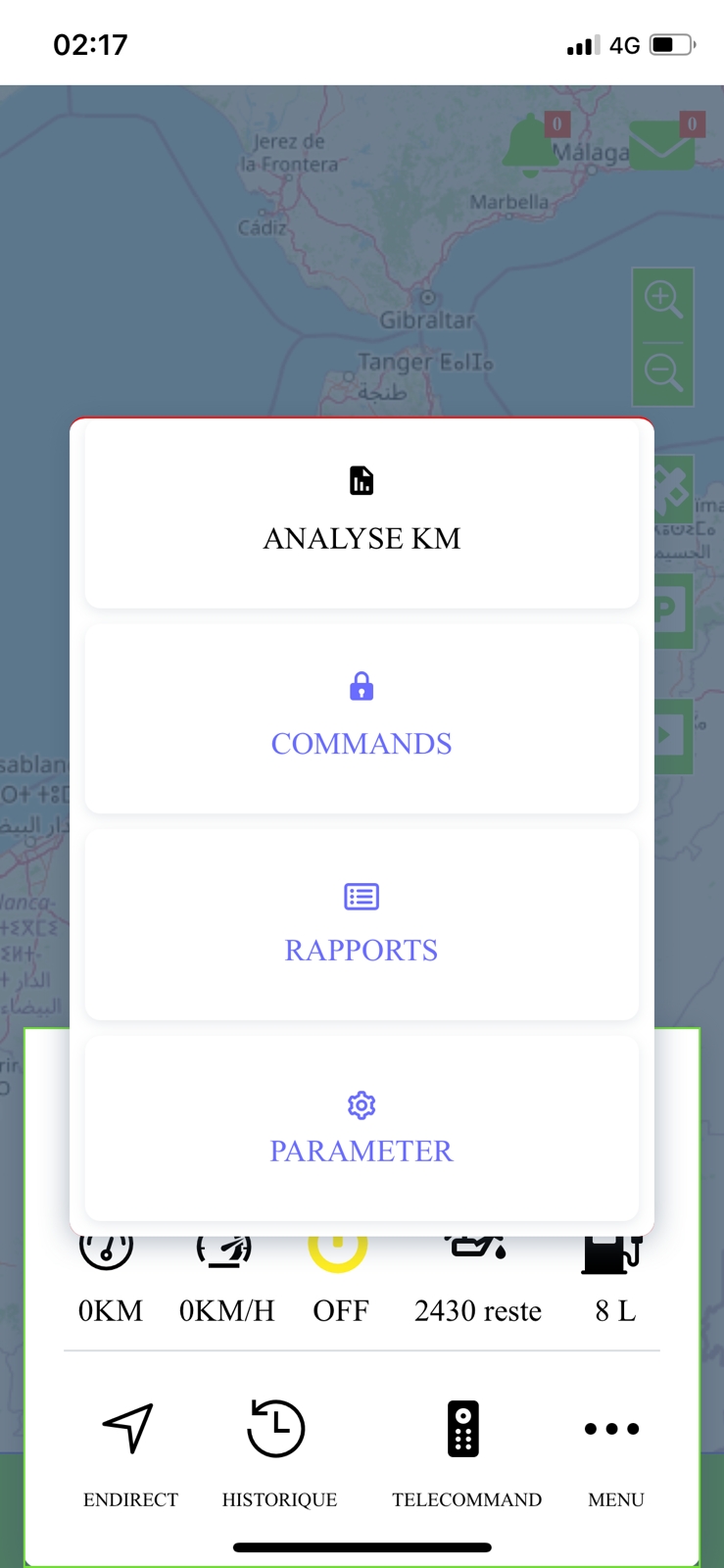
The main menu provides quick access to all core functionalities of the application. From real-time tracking to detailed reports and personalized settings, everything is just a tap away.
Poursuit (Tracking)
Navigate to the location via the Waze app.
Partager (Share)
Option to share tracking data or location.
Analyse KM (KM Analysis)
Detailed analysis of kilometers driven.
Commands
Remote commands (e.g., locking/unlocking).
Rapports (Reports)
Access to various historical data reports.
Parameter (Settings)
Configuration of alarms and preferences.
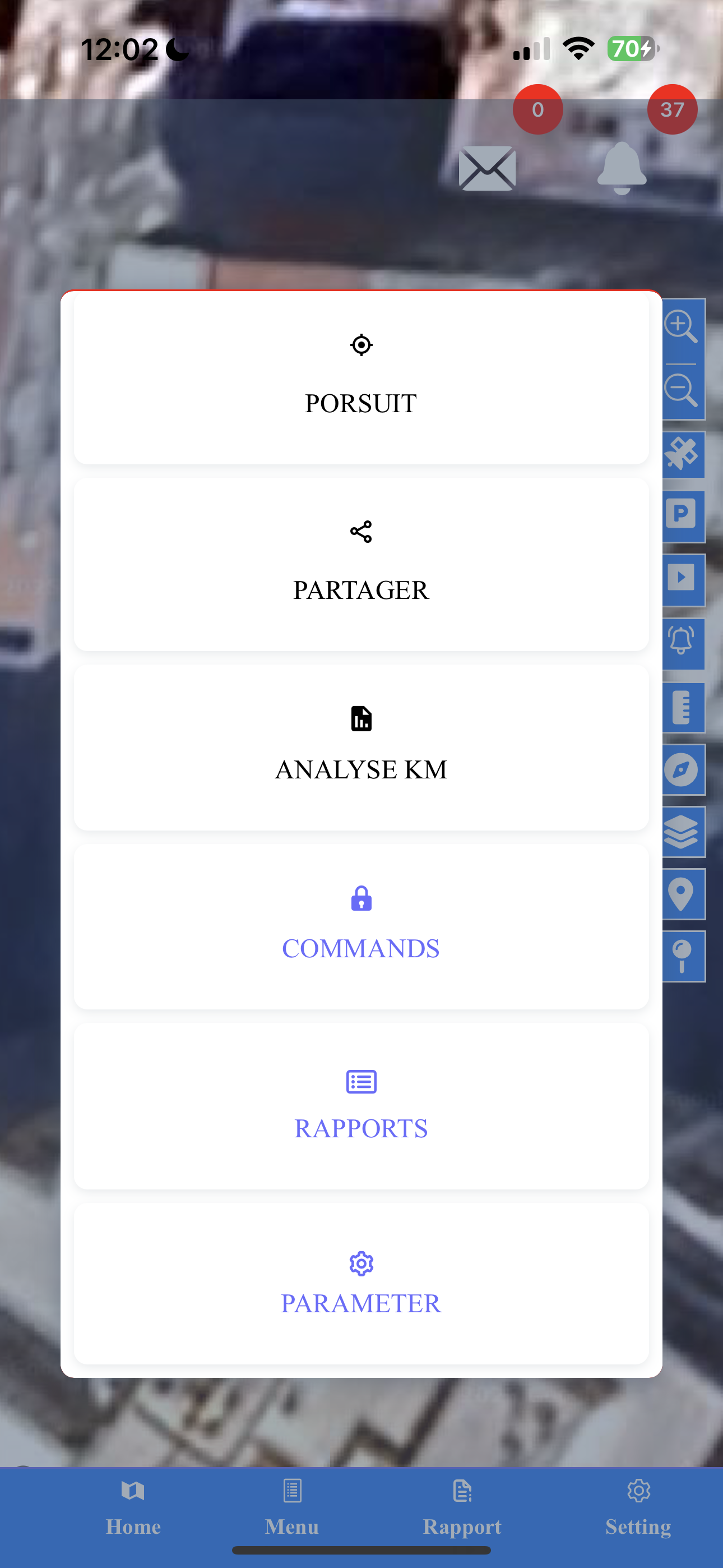
Main Menu
Here's how the main menu of the application looks, allowing easy navigation to different features.
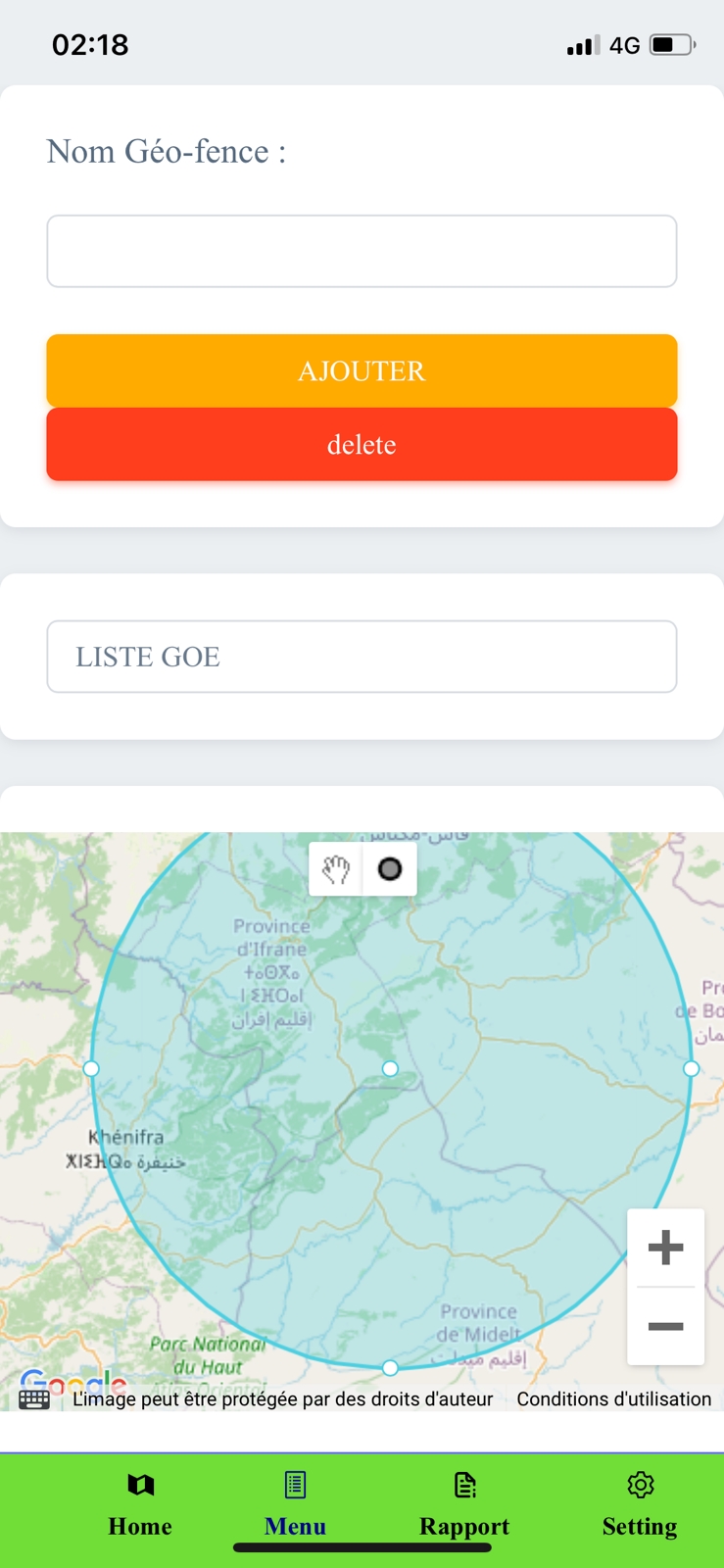
Geofence Setup
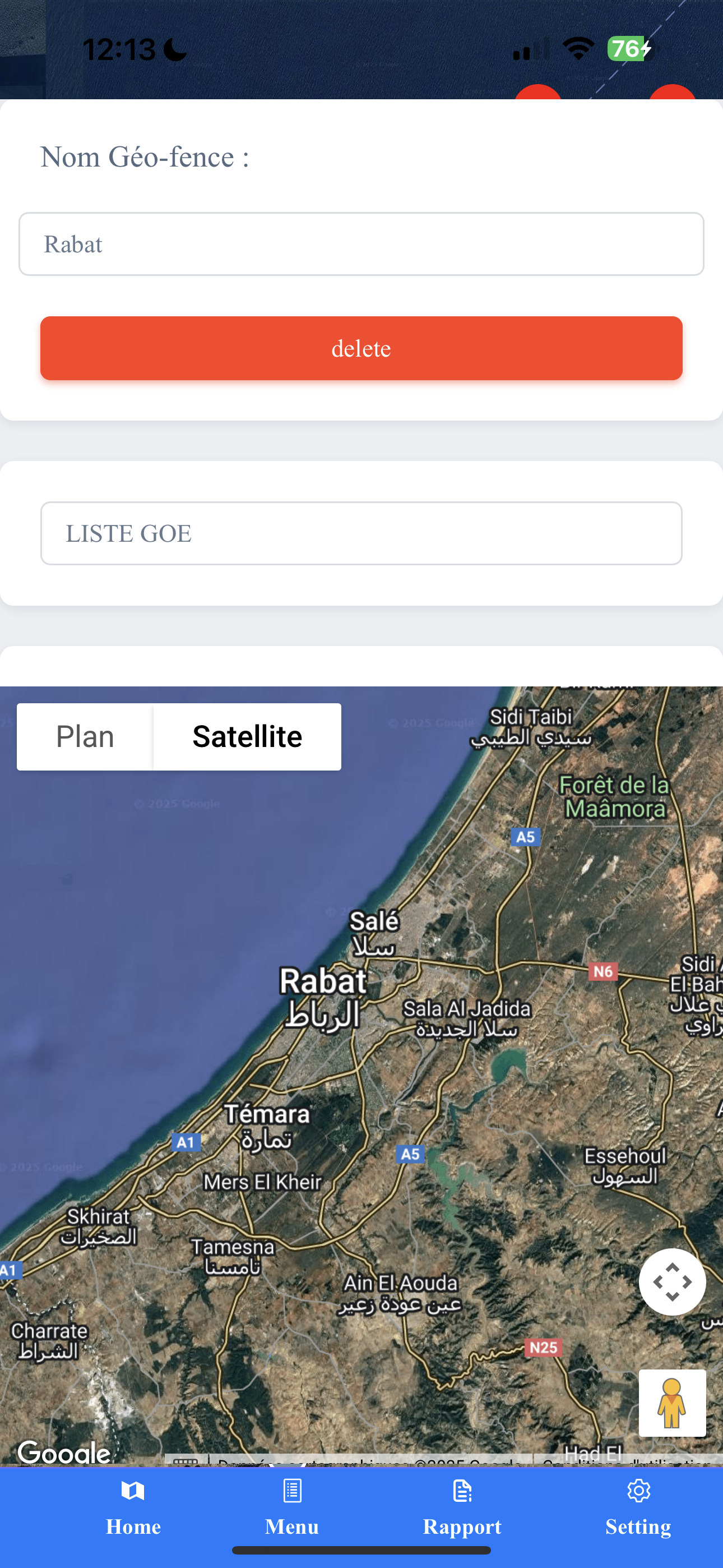
Define and manage custom geographic zones on a satellite map, such as "Rabat", to receive alerts when your vehicle enters or exits these areas.
📍 Geofencing
This powerful feature allows you to create and manage virtual geographic boundaries. You can name these zones, like "Rabat" in the example, and view them on a satellite map. The system will then notify you when a vehicle enters or exits a defined geo-fence, providing enhanced security and operational control.
🚨 Alarm Settings (Paramètre)
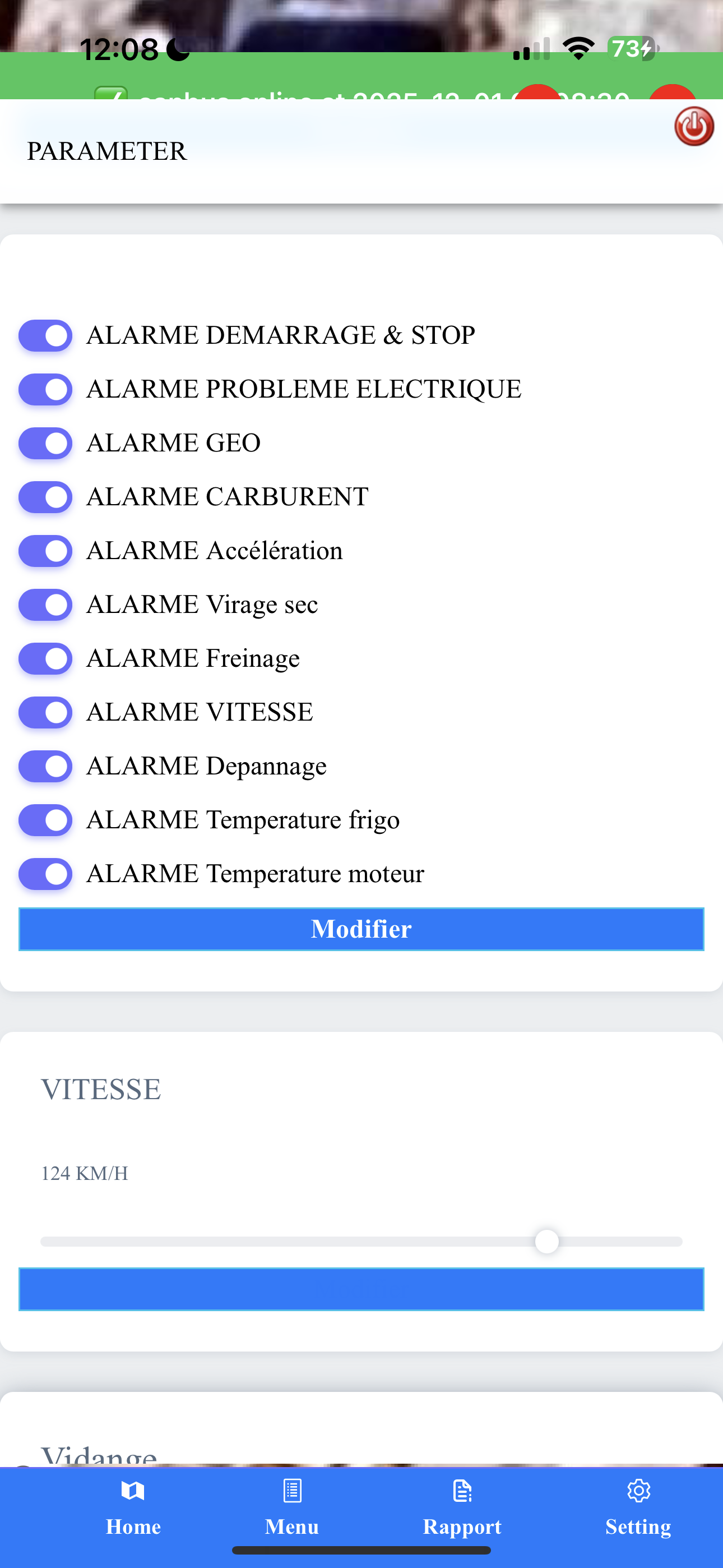
Customize your alerts to stay informed about critical vehicle events. The application provides a comprehensive list of alarms that can be toggled on or off, ensuring you only receive notifications that matter most to you.
- **Alarme Démarrage & Stop:** Ignition ON/OFF alarm.
- **Alarme Problème Electrique:** Electrical problem alarm.
- **Alarme Geo:** Geo-fence entry/exit alarm.
- **Alarme Carburant:** Fuel level alarm (e.g., sudden drop).
- **Alarme Accélération:** Sudden acceleration (Harsh Acceleration) alarm.
- **Alarme Virage sec:** Sharp turn alarm.
- **Alarme Freinage:** Sudden braking (Harsh Braking) alarm.
- **Alarme Vitesse:** Speeding alarm (current limit set at 124 KM/H).
- **Alarme Depannage:** Towing or breakdown alarm.
- **Alarme Température frigo/moteur:** Fridge/Engine temperature alarms.
Configuring Alarms
Enable or disable various vehicle alarms, including ignition, geo-fence, fuel, and driving behavior alerts, with a customizable speed limit.
📊 Reporting Features (Rapports)
Gain insights into vehicle performance and activity with detailed reports, available in various formats including graphical representations.
Events Log
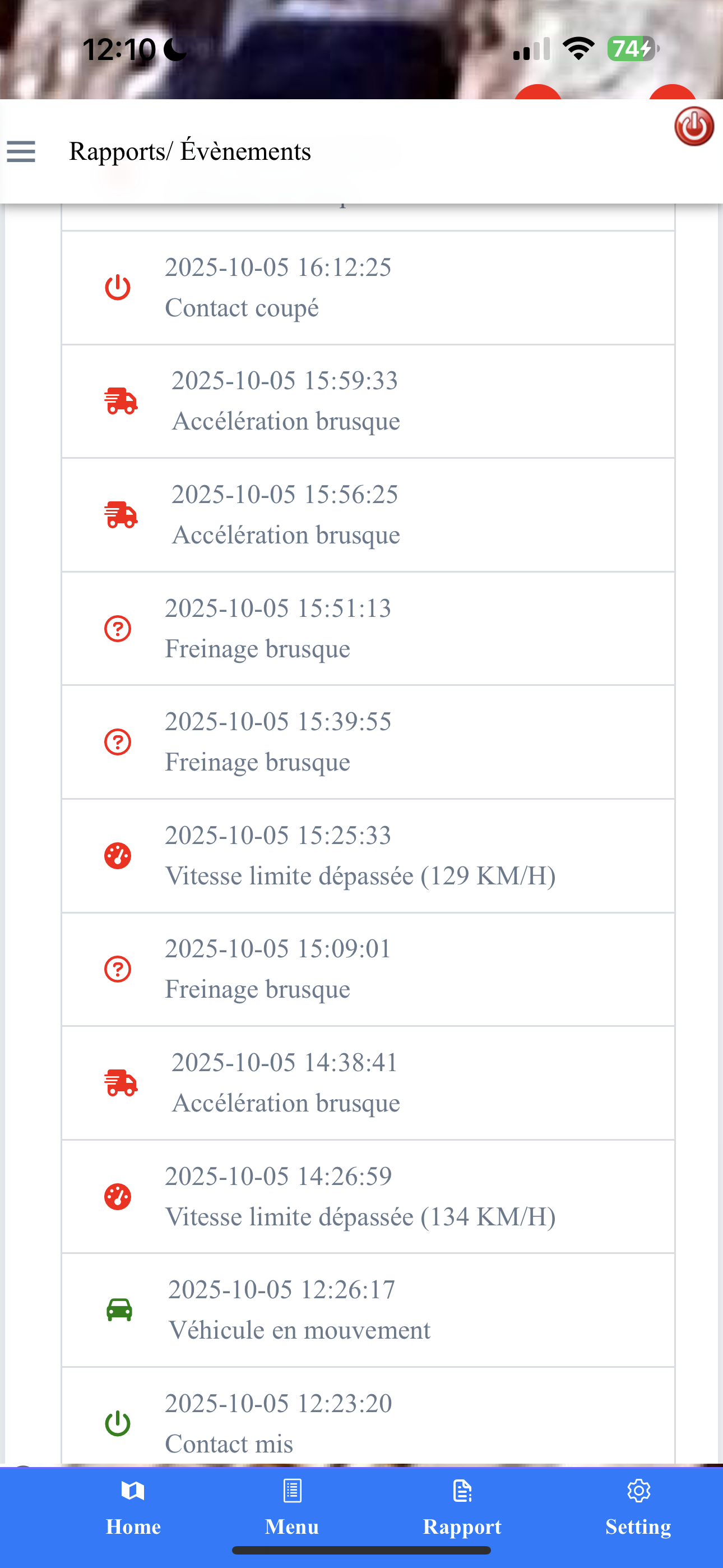
A chronological list of all significant vehicle events, such as ignition changes, harsh driving, and speed limit violations.
**Rapports/Évènements (Events Report)**
A chronological log of important vehicle events, providing a detailed history of its operation. This includes:
- **Contact mis/coupé:** Ignition ON/OFF.
- **Accélération brusque:** Harsh Acceleration.
- **Freinage brusque:** Harsh Braking.
- **Vitesse limite dépassée:** Speed limit exceeded (e.g., 129 KM/H, 134 KM/H).
- **Véhicule en mouvement:** Vehicle in movement.
**Rapports/Arrêts (Stops Report)**
This report provides a granular breakdown of trips and stops, detailing the duration, distance covered during each segment, and the specific locations where stops occurred (e.g., "Route de l'Abattoir Tanger-Tétouan-Al Hoceima"). It also displays key metrics for the analyzed period:
- **Maximum Speed:** 85 KM/H
- **Engine Temperature:** 98°C
- **Total Distance:** 39 KM
- **Total Fuel Consumption:** 6.2 L
Stops and Trip Details
Review comprehensive details of vehicle stops and journeys, including duration, distance, and specific addresses, along with key performance metrics.

Summary Report
An overview of vehicle activity for a chosen period, including total distance, max speed, fuel consumed, and a list of locations visited.
**Rapports/Résumé (Summary Report)**
A concise overview of vehicle activity for a user-selected date range (e.g., August 29-31, 2025). This report summarizes critical data points:
- **Total Distance:** 96 KM
- **Maximum Speed:** 84 KM/H
- **Fuel Consumed:** 12.1 L
- **Total Fuel Added:** 0 L (for this specific period)
- **Location History:** Lists addresses for the duration.
Data can be conveniently exported as **PDF** or **EXCEL** files.
**Rapports/Gazoil (Fuel Report)**
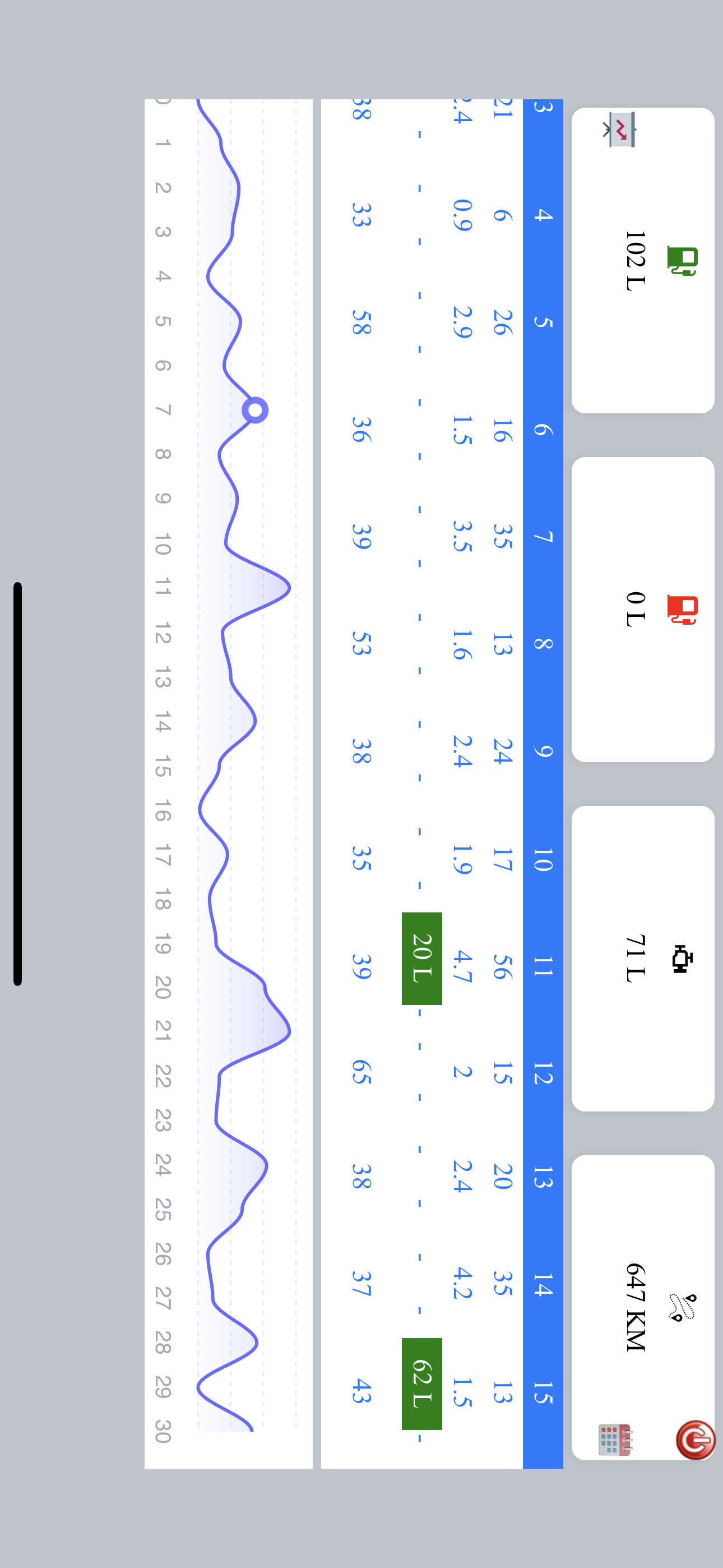
Keep track of all fuel transactions with the dedicated Fuel Report. It logs the dates and times when fuel was added, along with the exact volume in liters (e.g., +62 L, +20 L), providing a clear history of fuel consumption and refills.
Fueling History
Monitor fuel additions with detailed records of dates, times, and quantities (liters) of fuel added to the vehicle.
**Rapports/Graphique (Graphical Reports)**
Visualize vehicle performance and data trends over time with intuitive graphs:
Temperature Graph
Illustrates the vehicle's temperature fluctuations over a day, useful for monitoring engine health or cargo conditions.
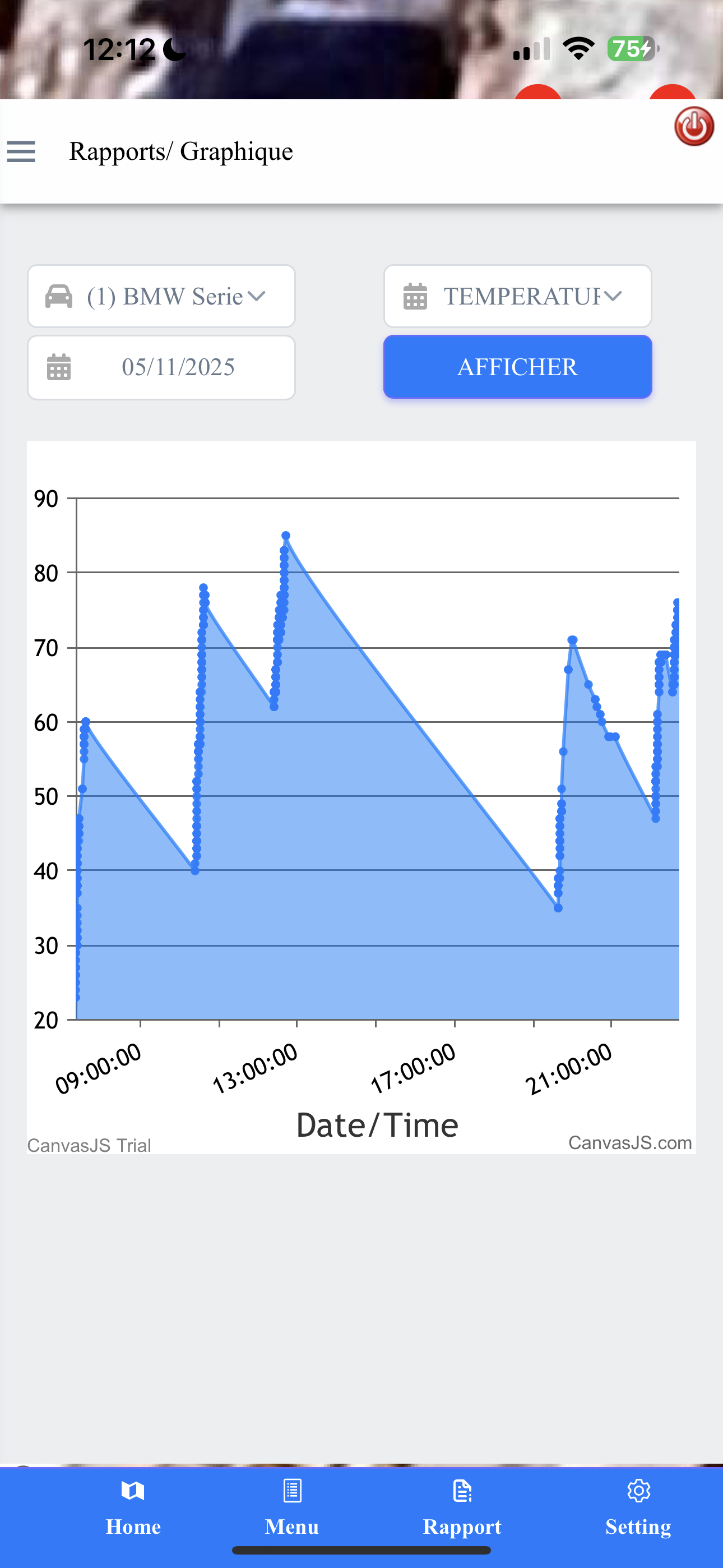
Temperature Graph
Shows fluctuations in temperature (likely engine or external) throughout the day (e.g., November 5, 2025), helping to identify potential issues or monitor environmental conditions for sensitive cargo.
RPM Graph
Displays engine Revolutions Per Minute, providing insights into driving patterns, engine load, and peak usage throughout the monitored period.
RPM Graph
Visualizes engine RPM data over time, providing insights into driving patterns and engine performance.

Fuel Consumption Graph
Tracks cumulative fuel consumption, helping to understand fuel efficiency trends over time.
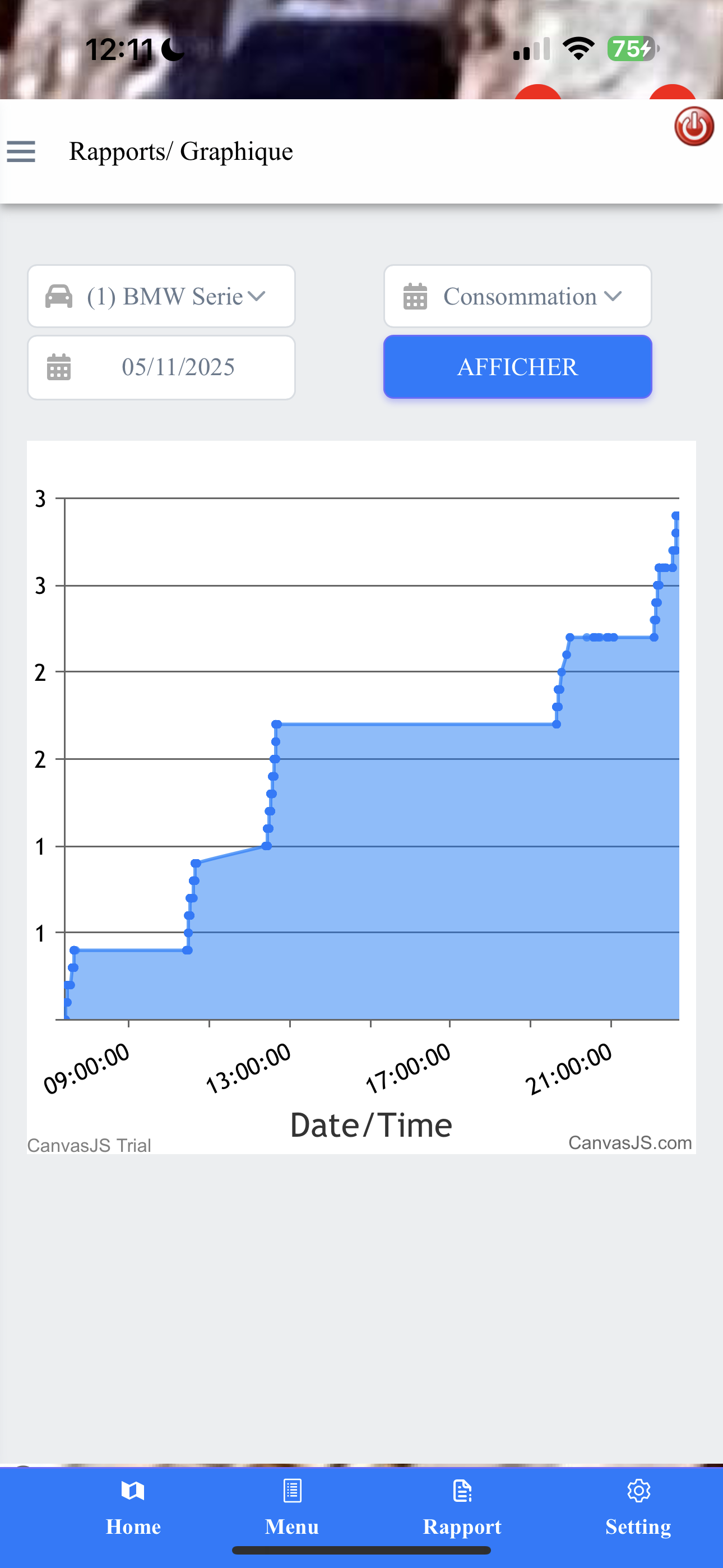
Consommation (Consumption) Graph
Tracks cumulative fuel consumption over time, allowing for a clear understanding of fuel efficiency trends and usage patterns.
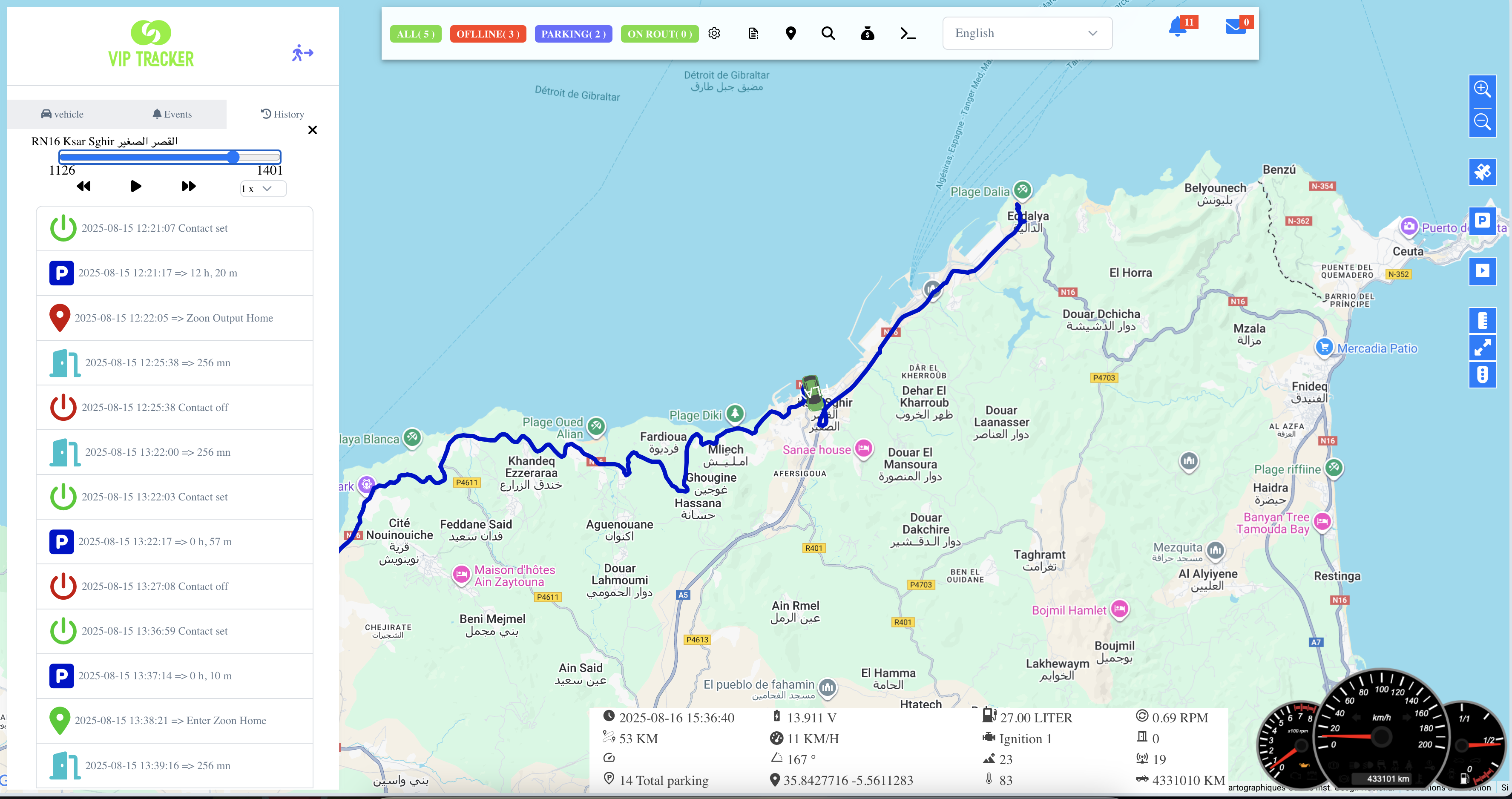
Desktop Web Application
A modern desktop web application for GPS tracking, offering real-time location updates, detailed route playback, event history, intelligent alerts, and smooth performance— all through an easy and intuitive interface.
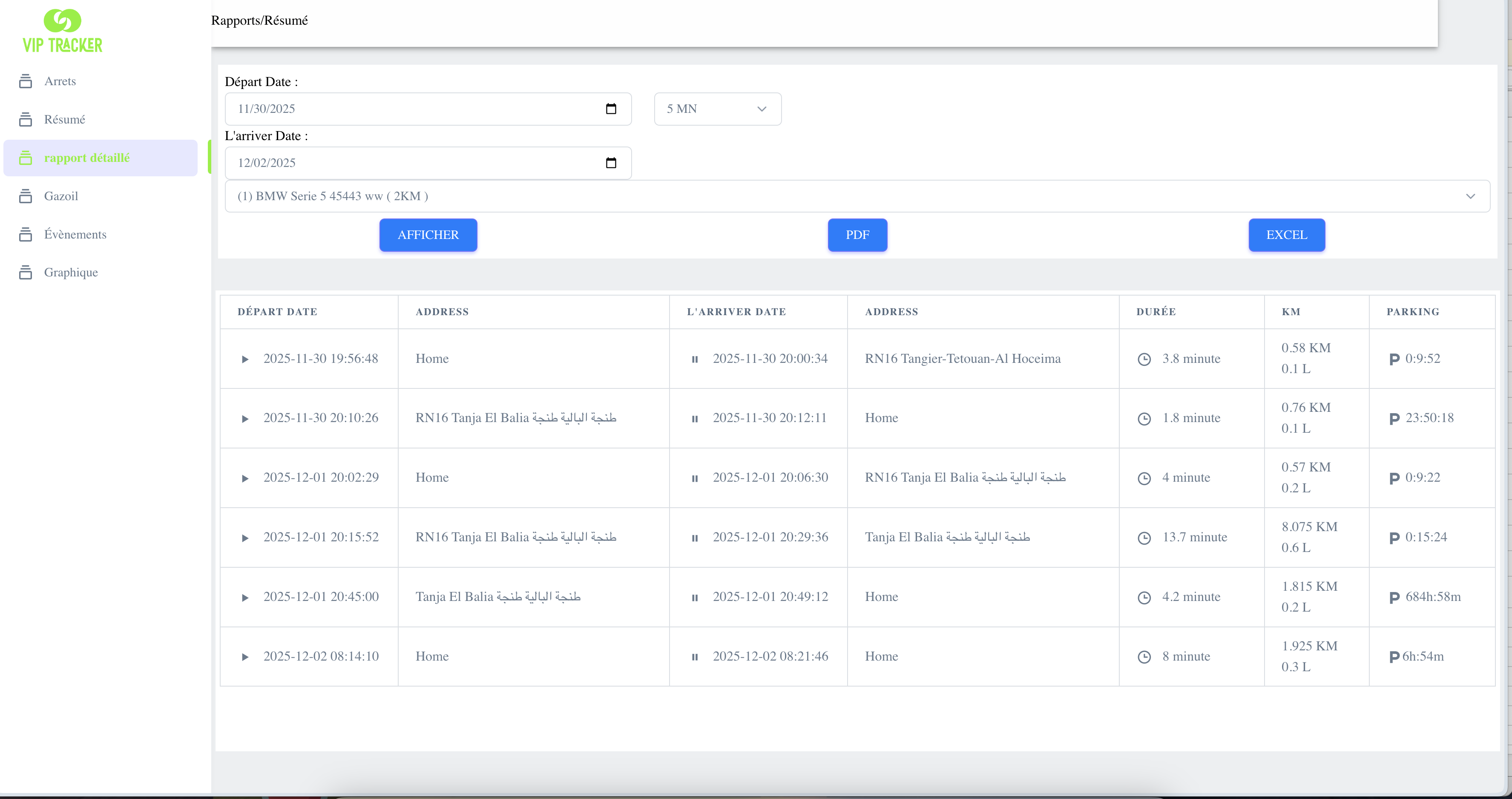
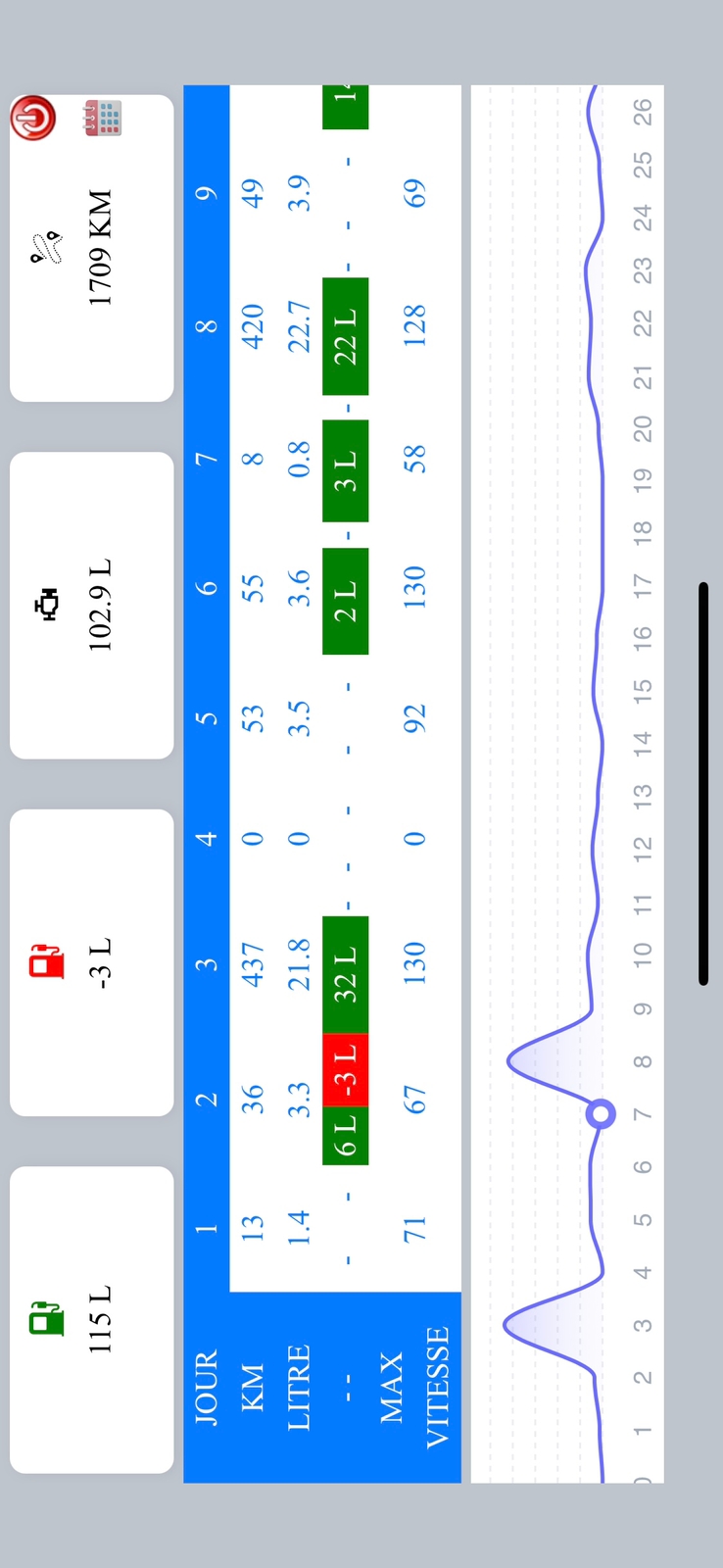
Kilometers, Trip Distance, Fuel Consumption & Driving Hours Report
This report provides a detailed overview of vehicle activity, including the total distance traveled, trip segments, estimated fuel consumption, and effective driving hours. All data is collected from the vehicle’s GPS tracking device and calculated to offer accurate insights into performance, usage, and operational efficiency.